
TypeScript Intersection Types: When They're Your Best Friend, and When They're Quietly Lying to You
Intersection types in TypeScript seem simple: combine two types. But what happens when those types have overlapping properties with different definitions? TypeScript won't always warn you, leading to silent failures that can be incredibly hard to debug. I'll show you when they work perfectly, when t
by Sunil Band
Intersection Types: The Silent Killer
We all love TypeScript for the safety it provides. The compiler catches errors, guides our refactors, and makes our codebases more maintainable. But like any powerful tool, it has sharp edges. One of the trickiest, in my experience, is intersection types. On the surface, they seem straightforward: combine two types into one. What could go wrong? A lot, actually, when you're not careful about how those types overlap.
I've seen countless bugs, especially in larger projects with shared utility types or generated API clients, where an intersection type silently accepted invalid data. The compiler didn't complain, our tests passed (because we weren't testing the types correctly), and then things blew up at runtime. It's frustrating because the whole point of TypeScript is to prevent exactly this kind of scenario.
Let's get into what makes intersection types both incredibly useful and surprisingly dangerous, and how to wield them without getting burned.
The Good: Extending and Combining
At their best, intersection types (&) are fantastic for combining distinct sets of properties or for incrementally building up types. This is where they truly shine, giving you a clean way to compose types rather than extending interfaces, which can sometimes lead to rigid hierarchies.
Imagine you have a User type with core identity information, and then you want to represent an AdminUser who has all the User properties plus some administrative roles. An intersection type handles this elegantly:
interface User {
  id: string;
  name: string;
  email: string;
}

interface AdminPrivileges {
  roles: 'admin' | 'editor' | 'viewer'[];
  lastLoginIp: string;
}

// Combine User and AdminPrivileges to create AdminUser
type AdminUser = User & AdminPrivileges;

const currentUser: AdminUser = {
  id: 'usr_123',
  name: 'Sunil Band',
  email: 'sunil@example.com',
  roles: ['admin', 'editor'],
  lastLoginIp: '192.168.1.100',
};

console.log(currentUser.name); // Works as expected
console.log(currentUser.roles); // Also works
Here, AdminUser has all properties from both User and AdminPrivileges. This is exactly what you want: a union of properties, where each property retains its original type definition. No conflicts, no ambiguity.
Intersection types are also great for adding metadata or status information to an existing type without modifying its original definition. This is common when you're wrapping API responses or augmenting data in a pipeline.
interface Product {
  productId: string;
  name: string;
  price: number;
}

interface FetchStatus {
  isLoading: boolean;
  lastFetchedAt: Date;
}

// A product with its fetch status
type ProductWithStatus = Product & FetchStatus;

const productData: ProductWithStatus = {
  productId: 'prod_abc',
  name: 'Wireless Mouse',
  price: 29.99,
  isLoading: false,
  lastFetchedAt: new Date(),
};

console.log(productData.isLoading); // false
In both these scenarios, the intersected types have disjoint sets of properties. This is the key to safe and predictable behavior with intersection types.
The Bad: Overlapping Properties with Different Types
Now, let's talk about where intersection types become a problem: when the types you're intersecting have overlapping properties with different, incompatible types. This is where TypeScript's behavior, while technically correct by its specification, can lead to silent errors that are incredibly difficult to diagnose.
Consider this scenario. You're integrating with two different microservices, each providing slightly different metadata for an entity. Let's say a Widget from ServiceA and ServiceB:
interface WidgetFromServiceA {
  id: string;
  name: string;
  status: 'active' | 'inactive' | 'pending';
}

interface WidgetFromServiceB {
  id: string;
  name: string;
  status: 'available' | 'unavailable'; // Different type for 'status'!
  metadata: Record<string, any>;
}

// We want a combined view of a Widget that includes info from both services.
type CombinedWidget = WidgetFromServiceA & WidgetFromServiceB;

// Let's try to create one.
const myWidget: CombinedWidget = {
  id: 'wgt_456',
  name: 'Super Widget',
  // What should 'status' be here?
  status: 'active', // This passes the type check!
  metadata: { version: 2, author: 'SB' },
};

console.log(myWidget.status); // 'active'
Look closely at CombinedWidget. The id and name properties are fine; they have the same type in both interfaces (string). The metadata property exists only in WidgetFromServiceB, so it's simply added.
But what about status? In WidgetFromServiceA, it's 'active' | 'inactive' | 'pending'. In WidgetFromServiceB, it's 'available' | 'unavailable'. When you intersect these, TypeScript tries to find a type that satisfies both definitions. The intersection of two union types is a union of types that are common to both. In this specific case, there are no common literal strings between 'active' | 'inactive' | 'pending' and 'available' | 'unavailable'.
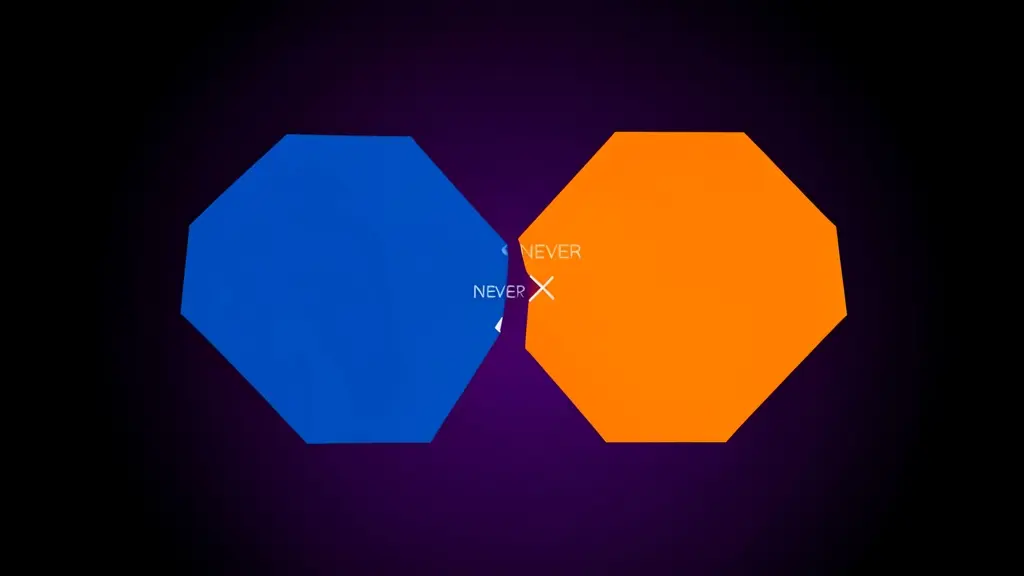
So, what's the intersection of 'active' | 'inactive' | 'pending' and 'available' | 'unavailable'? It's never.
This means that for the status property in CombinedWidget, its actual type is never.
type IntersectedStatus = ('active' | 'inactive' | 'pending') & ('available' | 'unavailable');
// IntersectedStatus is 'never'
If you try to assign myWidget.status to never, TypeScript should complain, right? Well, not exactly. Assigning a concrete string literal like 'active' to never will not produce a compile-time error if that string literal is part of a union type that also contains never as a result of the intersection. The compiler assumes you know what you're doing, and it doesn't always flag these impossible types aggressively unless you try to use never in a context where it explicitly cannot exist. This is the silent lie.
Your myWidget object is technically valid at compile time because 'active' is a possible value for WidgetFromServiceA['status']. TypeScript doesn't force you to pick a value that satisfies both simultaneously if the intersection results in never for that property. It essentially treats status: never as an uninhabitable type, but doesn't stop you from assigning a value that only satisfies one of the intersected types.
The real problem arises when you try to use myWidget.status in a context that expects the never type, or when you pass it to a function that expects one of the original union types. You'll likely encounter runtime errors if the consuming code expects status to be from ServiceB's enum, but it received ServiceA's value.
The Ugly: Solving the never Problem with Type Guards and Utility Types
So, how do you deal with this never problem? The first step is awareness: always be explicit about how overlapping properties should merge. You have a few strategies depending on your goal:
1. Renaming Conflicting Properties
The simplest solution, if possible, is to rename properties that have different meanings or types. This prevents the intersection from creating never in the first place.
interface WidgetFromServiceA_Renamed {
  id: string;
  name: string;
  statusA: 'active' | 'inactive' | 'pending'; // Renamed
}

interface WidgetFromServiceB_Renamed {
  id: string;
  name: string;
  statusB: 'available' | 'unavailable'; // Renamed
  metadata: Record<string, any>;
}

type CombinedWidgetClean = WidgetFromServiceA_Renamed & WidgetFromServiceB_Renamed;

const cleanWidget: CombinedWidgetClean = {
  id: 'wgt_789',
  name: 'Clean Widget',
  statusA: 'active',
  statusB: 'available',
  metadata: { source: 'both' },
};

console.log(cleanWidget.statusA); // 'active'
console.log(cleanWidget.statusB); // 'available'
This is the most robust approach when the properties genuinely represent different concepts.
2. Picking One Type for the Overlap
If you truly want a combined type but need to pick one definition for an overlapping property, you can use utility types like Omit or Pick to shape your types before intersecting.
Let's say for status, you always want to use ServiceA's definition:
// Omit 'status' from ServiceB's type before intersecting
type CombinedWidgetPreferAStatus = WidgetFromServiceA & Omit<WidgetFromServiceB, 'status'>;

const preferredWidget: CombinedWidgetPreferAStatus = {
  id: 'wgt_abc',
  name: 'Preferred Status Widget',
  status: 'active', // Only ServiceA's status is allowed
  metadata: { version: 1 },
};

// This would cause a compile-time error:
// preferredWidget.status = 'available';
This approach gives you explicit control and makes your intention clear. It also means you won't accidentally assign a ServiceB status where a ServiceA status is expected.
3. Creating a New Union Type for the Overlap
If the overlapping property can take values from both original types, you might want to create a new union type for that specific property.
interface WidgetFromServiceA {
  id: string;
  name: string;
  status: 'active' | 'inactive' | 'pending';
}

interface WidgetFromServiceB {
  id: string;
  name: string;
  status: 'available' | 'unavailable';
  metadata: Record<string, any>;
}

// Define a new union type for the combined status
type CombinedWidgetStatus = WidgetFromServiceA['status'] | WidgetFromServiceB['status'];
// This will be 'active' | 'inactive' | 'pending' | 'available' | 'unavailable'

// Create a base type that removes 'status' from both originals
type BaseWidget = Omit<WidgetFromServiceA, 'status'> & Omit<WidgetFromServiceB, 'status'>;

// Then, add the combined status back
type TrulyCombinedWidget = BaseWidget & { status: CombinedWidgetStatus };

const trulyCombined: TrulyCombinedWidget = {
  id: 'wgt_def',
  name: 'Truly Combined Widget',
  status: 'pending', // Valid
  // status: 'not-a-status', // Invalid, as expected
  metadata: { timestamp: 123 },
};

console.log(trulyCombined.status); // 'pending'
This is a more involved but robust way to handle genuinely overlapping fields where you want to support all possible values from the original types. It requires more manual effort but eliminates the never type and provides strong type safety.
4. Using Conditional Types for Advanced Merging
For more complex scenarios, especially when dealing with dynamically generated types (like from an OpenAPI spec), you might need conditional types to merge properties intelligently. This is often encapsulated in a generic utility type.
Consider a DeepMerge utility type. While a full implementation is complex, the idea is to iterate over the keys and, if keys overlap, recursively merge their types or apply specific rules.
A simplified example of the concept (not a fully robust DeepMerge): you could define a Merge utility that combines objects, prioritizing one type over another for conflicting keys:
type Merge<T, U> = {
  [K in keyof T | keyof U]: K extends keyof U
    ? U[K]
    : K extends keyof T
      ? T[K]
      : never;
};

interface ObjA { a: number; b: string; }
interface ObjB { b: boolean; c: Date; }

// 'b' from ObjB (boolean) will overwrite 'b' from ObjA (string)
type Merged = Merge<ObjA, ObjB>;
// Merged is { a: number; b: boolean; c: Date; }

const mergedVal: Merged = {
  a: 10,
  b: true,
  c: new Date(),
};

// This would be an error, as 'b' is boolean in Merged:
// mergedVal.b = 'hello';
This Merge utility provides a specific strategy (U overwrites T). For our Widget example, you'd apply this to specific fields or create a more advanced version. This is getting into advanced type manipulation, but it's often necessary in large, evolving codebases with generated types.
Trade-offs and When to Be Wary
The main trade-off with intersection types, especially when dealing with overlaps, is explicitness versus conciseness. Pure intersections are concise, but they can be misleading. Manually Omitting or creating new union types is more explicit but adds boilerplate.
I generally recommend being highly suspicious of intersection types when:
- You are merging types from different sources (e.g., two distinct API responses, or a local type with an external library type) that might have different interpretations of the same field name.
- Your types are generative (e.g., from OpenAPI/Swagger, GraphQL codegen) and you don't have full control over the field names and types.
- You observe a type becoming
neverfor a property, or you see unexpectedanytypes creeping into your object's properties after an intersection.
Always default to clear intention. If the properties are truly independent, intersect away. If there's any chance of conceptual overlap or type mismatch, be explicit with Omit, Pick, or by redefining the problematic property.
Wrapping up
Intersection types (&) are a powerful feature in TypeScript for composing types, but they come with a hidden danger: silent never types for overlapping, incompatible properties. This can lead to runtime errors that the compiler should have caught, but didn't, because it interprets A & B as a type that must satisfy both A and B, and if no value can satisfy both, the intersection becomes never.
The key takeaway is this: don't blindly intersect types with overlapping property names unless you are absolutely certain their definitions are compatible, or you've explicitly handled the conflict. My go-to strategy is to use Omit on one side of the intersection to remove the conflicting property, then manually add back the desired type for that property. This makes the merge strategy crystal clear and prevents the compiler from silently lying to you.
Next time you're defining a new type that combines existing ones, take an extra moment to scan for common property names. If you find any, mentally (or literally) trace their types. If they're different, reach for Omit and be explicit. Your future self, debugging a production issue, will thank you.
To try this out, open your TypeScript playground or a new project and experiment with the WidgetFromServiceA and WidgetFromServiceB examples. Observe what happens when you hover over CombinedWidget and CombinedWidgetClean. Then, implement the Omit strategy and see how the compiler immediately flags errors when you try to assign an incompatible value. This hands-on experience will solidify your understanding of this subtle but critical TypeScript behavior.

When Your Frontend Needs to Process Files, Not Just Upload Them: Diving into WebAssembly
Sending user-generated files to a backend for processing often feels like the default, but it's not always the best solution. We'll explore how WebAssembly lets us handle complex file operations directly in the browser, boosting privacy and performance.

When Your Next.js App Needs to Speak Every Language: Diving into next-intl
Internationalization often feels like an afterthought until your product manager drops the 'global market' bomb. Suddenly, every string, date, and currency needs to adapt. While Next.js provides some primitives, a robust i18n solution is crucial, and next-intl makes this surprisingly elegant.

When Your React App Needs a 3D Dimension: Embracing React Three Fiber
Integrating 3D experiences into web applications used to be a mess of imperative Three.js code. React Three Fiber changes that, letting you build complex 3D scenes with familiar React components and state management. It's a game-changer for interactive visualizations and immersive UIs.


















